'%3e%3cpath%20d='M1260.44,451.718L1576.21,451.718C1628.85,451.718%201671.93,494.791%201671.93,547.437L1671.93,588.05C1671.93,640.697%201628.85,683.769%201576.21,683.769L1393.05,683.769C1388.62,683.769%201384.25,683.449%201379.97,682.859L1379.97,729.898C1379.97,741.263%201389.26,750.56%201400.63,750.56L1458.12,750.56L1458.12,750.126L1576.27,750.126L1576.27,833.186L1393.06,833.186C1340.41,833.186%201297.34,790.114%201297.34,737.467L1297.34,591.991L1222.79,796.93C1214.72,819.106%201194.62,833.186%201171.02,833.186L1105.14,833.186C1081.55,833.186%201061.44,819.113%201053.38,796.93L978.927,592.278L978.927,737.467C978.927,790.114%20935.854,833.186%20883.208,833.186L700.058,833.186C647.411,833.186%20604.339,790.114%20604.339,737.467L604.339,696.854C604.339,644.208%20647.411,601.143%20700.058,601.143L883.215,601.143C887.65,601.143%20892.021,601.455%20896.3,602.045L896.3,555.007C896.3,543.642%20887.003,534.345%20875.638,534.345L484.552,534.345C454.259,534.345%20429.475,559.136%20429.475,589.429L429.475,833.186L346.848,833.186L346.848,589.422C346.848,513.683%20408.82,451.718%20484.552,451.718L1015.72,451.718L1124.43,750.56L1151.73,750.56L1260.44,451.718ZM707.627,750.56L875.638,750.56C887.003,750.56%20896.3,741.263%20896.3,729.898L896.3,704.431C896.3,693.066%20887.003,683.769%20875.638,683.769L707.627,683.769C696.262,683.769%20686.965,693.066%20686.965,704.431L686.965,729.898C686.965,741.263%20696.262,750.56%20707.627,750.56ZM1568.64,534.345L1400.63,534.345C1389.26,534.345%201379.97,543.642%201379.97,555.007L1379.97,580.481C1379.97,591.846%201389.26,601.143%201400.63,601.143L1568.64,601.143C1580,601.143%201589.3,591.839%201589.3,580.481L1589.3,555.007C1589.3,543.642%201580,534.345%201568.64,534.345Z'%20style='fill:white;'/%3e%3c/g%3e%3c/svg%3e)
AI Archive Planner for Vinyl Collections
Hundreds or thousands of records — and no idea where anything is? In 10 short steps, Groovi will build a custom archive plan with you: genre sections, shelf slots, materials list, time estimate. Based on the R.A.V.E. methodology from Switzerland.

What to Expect
10 small steps, go back anytime. Answers are saved locally.
From your input, Groovi generates genre sections, a shelf setup, and a materials list.
Afterwards, you can tell the chat 'more trance sections' or 'make it more compact'.
The Goal
Find any record in your collection in under 30 seconds — physically and digitally. A well-thought-out archiving system is the foundation: it's not just about scanning, but also knowing where each piece belongs. That's exactly what you'll create now with Groovi.
What You Should Roughly Have in Mind
- Roughly how many records do you have? (An estimate is fine)
- Which genres dominate your collection?
- How many shelf slots are available?
- Are your records already cataloged and sorted on Discogs?
An app that sorts by your rules
The special thing about the archive planner: You decide how the app should behave — which genres go into which boxes, which labels belong together, how to divide by artist. These rules then run automatically with every scan. Specifically, this means:
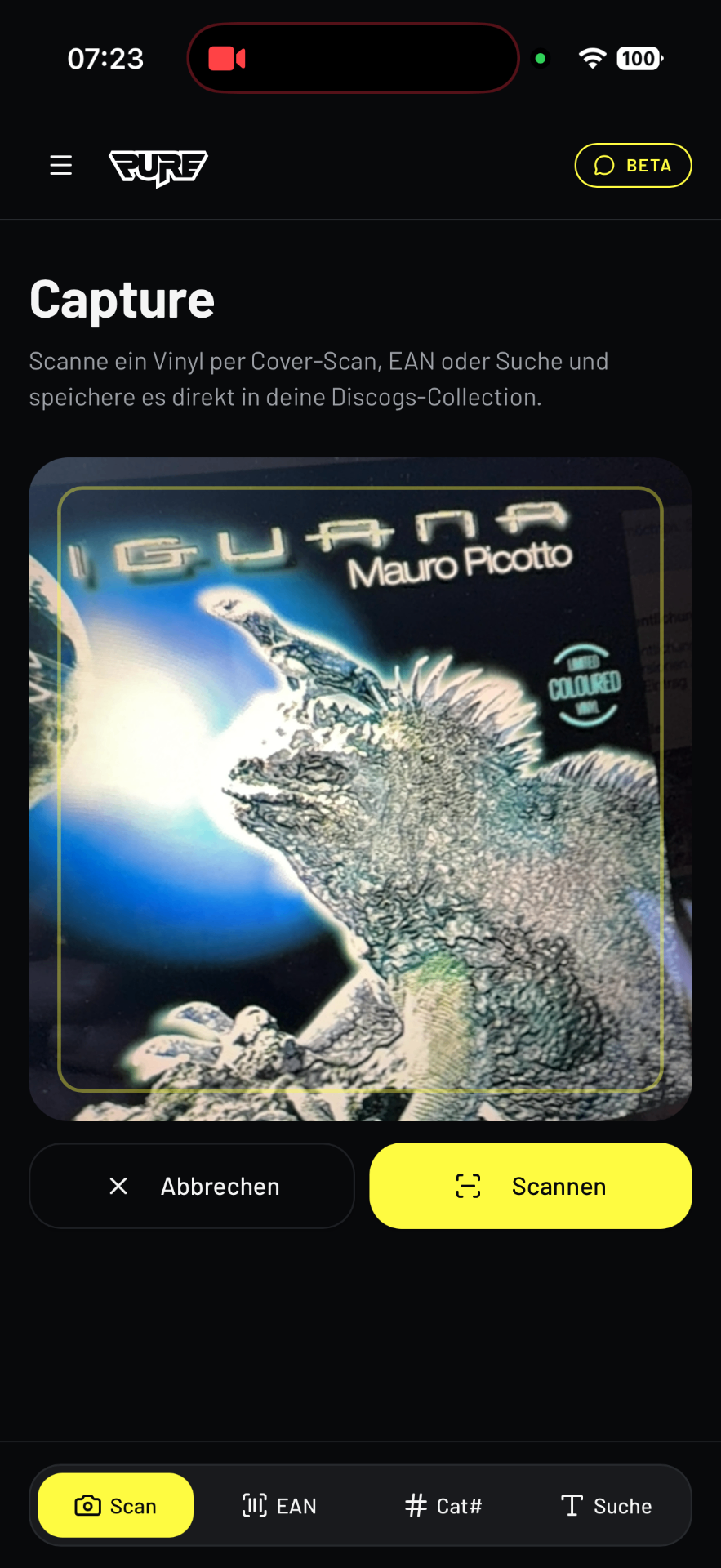
Scan the Record
Cover, barcode, or catalog number — just hold the record in front of the camera. No typing, no scrolling through lists.
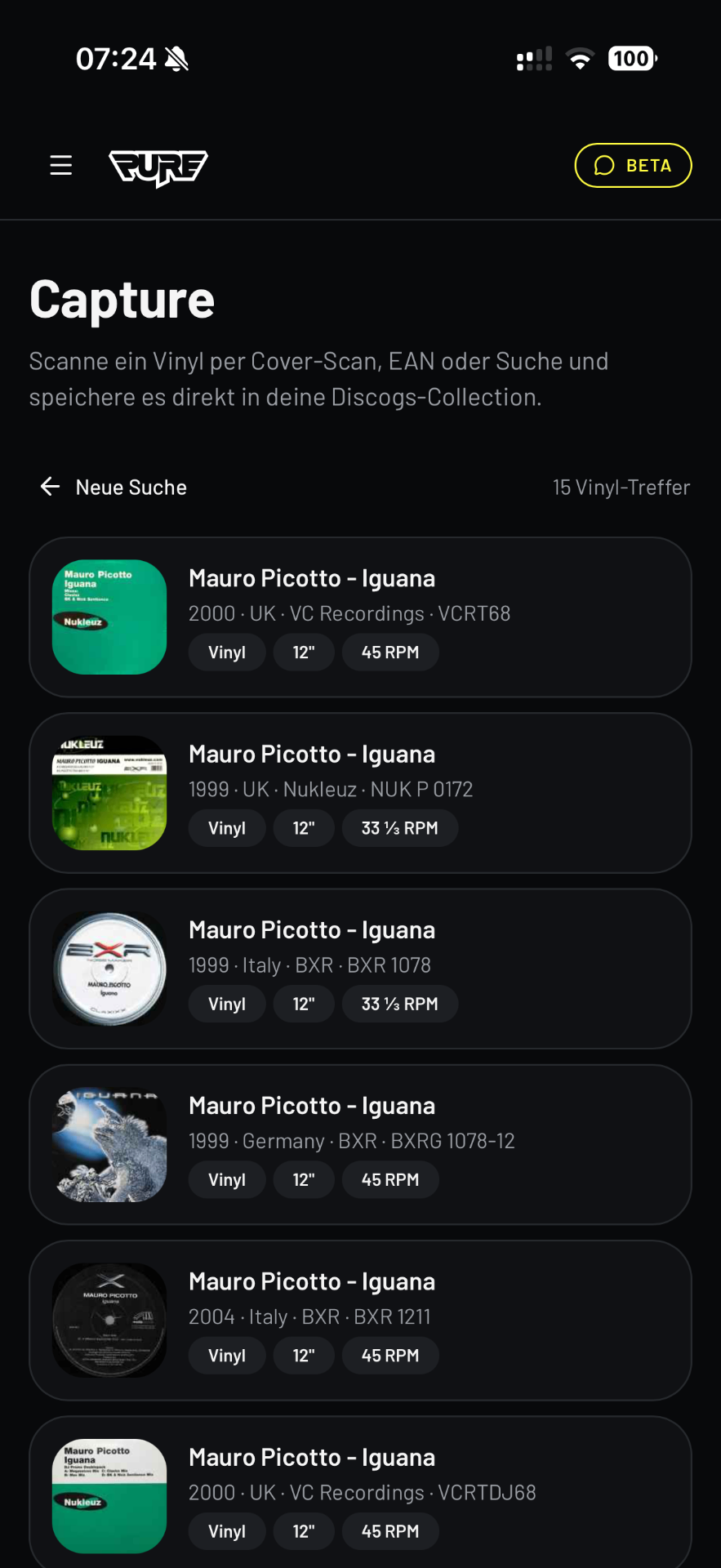
Match the Release
The app shows all pressings from Discogs. You select the correct edition — year, country, label, catalog no. must match exactly.
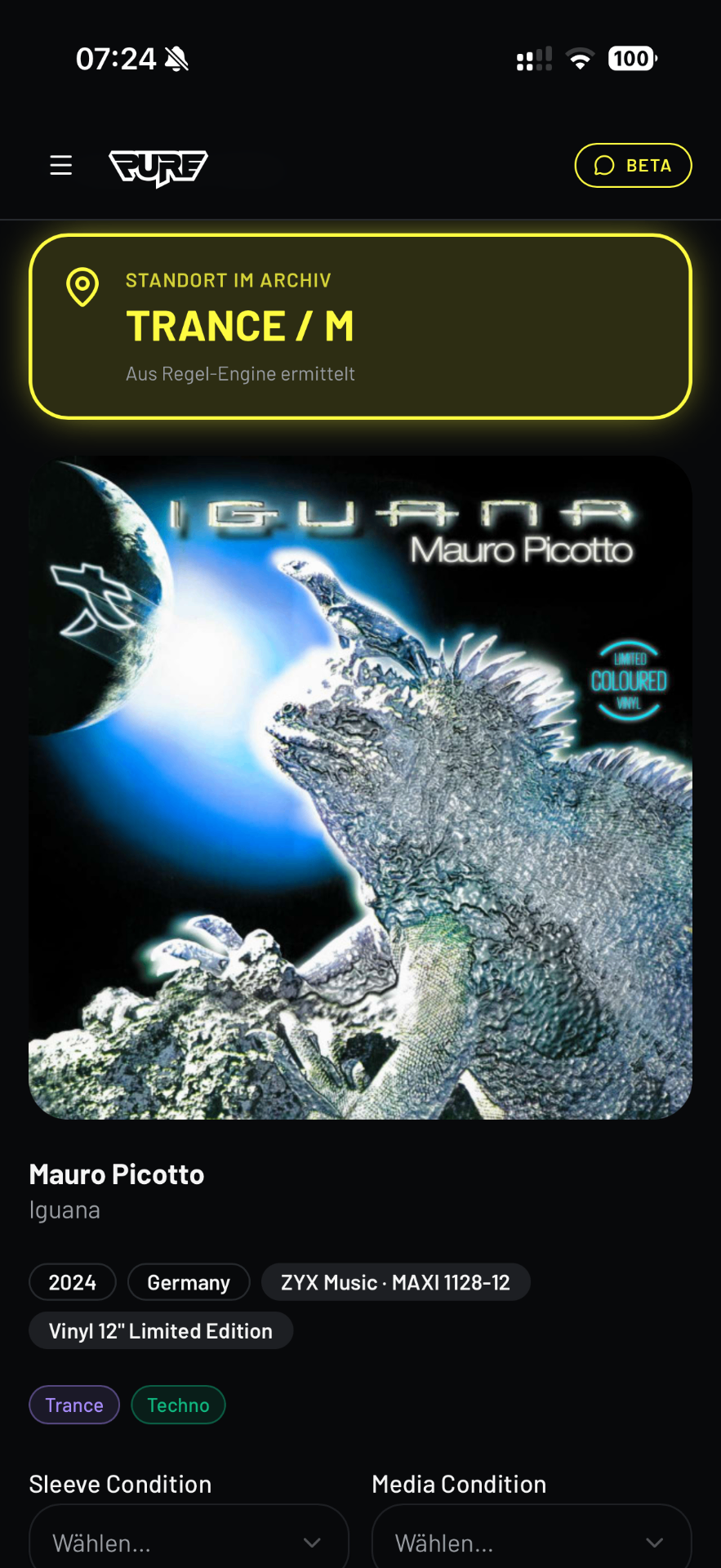
Location is Displayed
You immediately see where the record belongs — e.g., “Trance / M”. Generated from your rules in the archive plan. Save, file, and you're done.
Ready to Program Your App?
The plan is the foundation. In ~5 minutes, your personal archive system will be ready.